
Just type /i into a new para will pop up the image block. Lots of framing options or go plain vanilla.
Category: First things first
This is the default category for posts. If you forget to create a category it will go here. If you delete a category, the associated posts will end up here. If you cannot be bothered with categories, you can hid the category in many themes.

Widgets are blocks that appear outside the content area or a page or post. They include sidebars and footers and in some templates may include multiple positions in the header and above or below it. Footers are useful for boring…
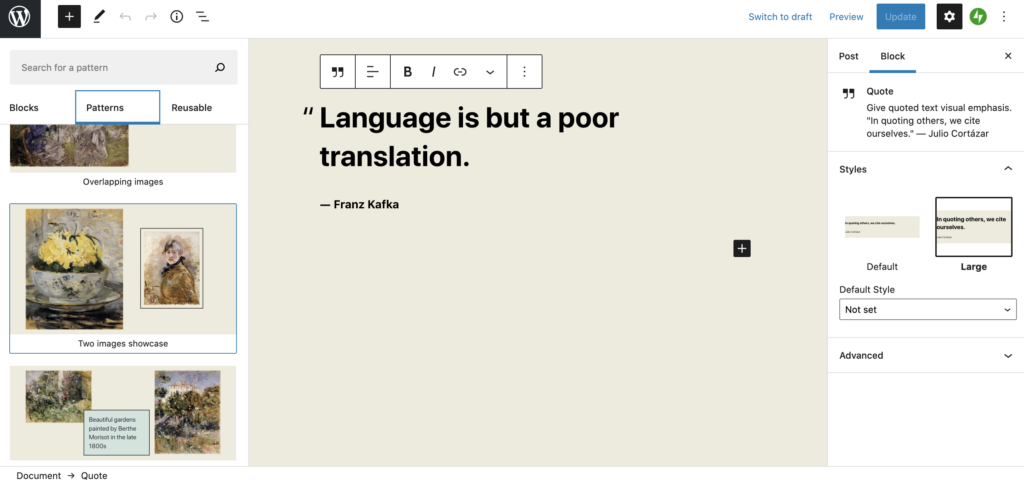
Language is but a poor translation. ― Franz Kafka

In our setup the default is to discourage search engines. This is to protect you from accidentally publishing your experimental doodles. In our experience many site owners can take many weeks, months, sometimes years to begin work and then finish…
I am having a relationship with Kafka 🙂 Status Updates are a little like Asides insofar as the title gets stripped out, which may suit you if you are prone to forgetting the subject line.
Prematurely, Twenty Twenty One is here!!! It is the new WordPress theme and, naturally, supports WordPress Blocks (since Twenty Nineteen most WP themes should). Once you get the hang of Layout Editing with blocks, you should find they are great,…
It seems I cannot chat with Kafka 🙁
The video block is as easy as popping a youtube or vimeo link into your page
Twenty Twenty One (TTO from now on) is the default WordPress theme and looks plain and old fashioned, but tailored around the new Block Editor. First off there’s a selection of default colours that are designed with Dark Mode support…
Inertia prevents many people from switching. Switching their bank, energy supplier, or their insurance provider. The idea that there is a better deal out there might sound appealing on one level, until you actually have to feel the pain of…